Core Tasks
Tasks at /app/<orgSlug>/tasks is core functionality, independent of a paid module.
tasks.view, tasks.manage and tasks.complete are separate scoped capabilities.
Access to another module does not silently confer task-management rights.
Use Mine to see assigned work; authorized managers can use Team. A Place selector limits the context to an authorized venue or organization. Open a task to read instructions, current state, checklist progress and required evidence. Required evidence must be attached before checking its item. Eligible uploads include JPEG, PNG, WebP, PDF and plain text within server limits.
Managers use Assign work to enter a title, assignee, instructions and required checklist lines, optionally requiring private evidence for every item. Detail controls support Start, Complete, Cancel, Reopen and delegation. Managers must provide a reason for cancellation/reopening or reassignment. Stale revisions or changed assignment require a refresh; another person's old assignment cannot be used to sign off current work.
Published checklist templates are immutable versions. Repeat a checklist creates scheduled occurrences using a stable schedule and local date. Editing a template does not create a second occurrence for the same scheduled opening. Ambiguous or nonexistent local schedule times pause for explicit resolution. The schedule list provides the corresponding pause/resume and resolution controls.
Messages and Automation can link work to Tasks only after the organization's explicitly reviewed Tasks adoption. Existing legacy tasks and published recipe versions can retain their previous owner/lifecycle. Deployment or enabling Tasks does not silently migrate them. Historical adoption is a separately reviewed operation, available to the appropriate organization task manager.
My Work queue
/app/<orgSlug>/my-work collects permission-checked work from its owning products.
It is a view of source records, not a second completion database.
Use Mine or an authorized Team view, then Now, Later or Done.
Now includes open current work; Later includes future-due work and personal
snoozes; Done includes completed/cancelled items. Urgent, critical and overdue
badges help prioritize but do not alter source authority.
On web, the queue controls, loading placeholders and work list use the available workspace width. Normal connected refreshes retain the selected views and open handover or notification-preference drafts.
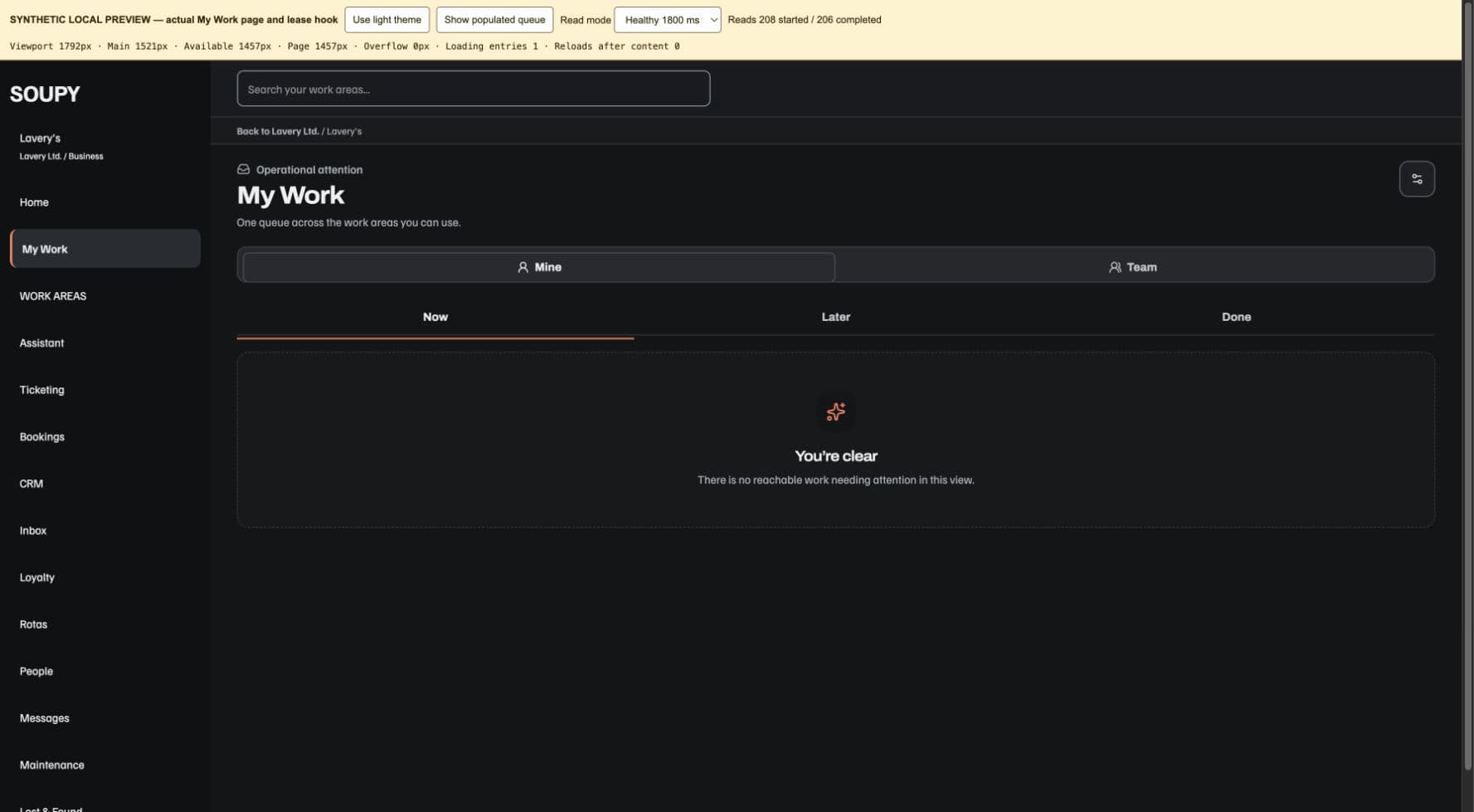
Open a card to see its owning work area, available source action, evidence trail and any approval information. Where offered, snooze attention or hand it over to an eligible person with a reason. Delegating attention does not silently reassign the underlying business record. Inbox follow-ups retain their Inbox assignee and must be resolved in Inbox.
Approvals record a decision about the frozen source/version. The owning work area still performs and records the effect. Generic completion cannot post stock, return property, execute payroll, send an email or move money. If the Team queue cannot safely evaluate the person's complete reach, it reports that limitation rather than showing a false empty queue; Mine remains separate.
My Work, its recent updates and the workplace dashboard refresh protected source views while connected. An open detail sheet follows the currently authorised item: losing that source closes the sheet and discards copied private context. A stalled refresh or changed account/workplace makes protected content unavailable until a fresh check succeeds. A normal acknowledgement refresh preserves an in-progress handover note; changing the source or its private projection clears it.
Notification preferences
My Work and native Notifications settings expose workplace-specific timezone, quiet-hours start/end, urgent override, instant/daily/weekly/off cadence and digest hour. Both quiet-hour endpoints must be present or both blank. Notification delivery rechecks current recipient authority. Seen or snoozed state is separate from resolving the work. Device push text stays generic; protected detail is fetched after the app opens.