Available on web. Custom exports provide reusable CSV layouts at the seven web entry points below. Availability requires the owning product to be enabled and the person's current source/export permission. Native apps retain their existing export workflows.
Open a custom export
Choose Custom CSV beside the existing source export. Each export keeps its own source's record selection, scope and readiness rules.
| Entry point | Available source; required authority |
|---|---|
| Ticketing → Attendees | The permitted ticket records, including void/refunded tickets hidden in the attendee list; ticketing.attendees.export. A scoped exporter keeps their existing subset. |
| Event → Attendees | That Event's permitted attendees, ticket metadata and question-response text; exact Event and Ticket export authority. |
| Event → Orders | Currently authorised grouped purchases; exact Event export authority plus commerce.orders.view for the contributing purchases and modules. |
| Ticketing commercial activity | The complete selected month and currency; current Ticketing report and contributor access. |
| CRM → Exports → completed export | Frozen rows from the purpose-bound prepared run, after review, retention acknowledgement and all preparation batches; crm.export. |
| Rotas → Attendance → approved exports | A selected frozen timesheet version; rotas.attendance.export at its current scope. |
| Purchasing → Ledger & export → existing accounting exports | A selected frozen accounting file; purchasing.accounting.export and its current document access. |
The standalone seller-ledger custom export has no web entry point in this implementation. Ticketing Reports exposes the commercial activity export above.
Only the source's listed fields are available. Event attendee metadata and question responses retain their existing combined text columns; arbitrary metadata paths and additional private fields are not supported. Money retains the source's units and currency: a minor-unit amount does not become pounds because its column is renamed.
Create or reuse a layout
- Choose New template or an existing Shared template. Templates are shared with authorised colleagues in this business for the same export source.
- Rename, add, remove or move columns. Insert a field adds a token such as
{{email}}; combine supported tokens with literal text in a cell. - Use
|number,|date,|upperor|lowerwhen needed, for example{{email|lower}}. Date formatting produces a UTC date; it can differ from the local date of a timestamp. Number formatting validates numeric text and preserves its precise source text and existing spreadsheet protection; it does not convert currency or add totals. - Add row per record adds a fixed extra CSV row for every source record. The fictional Preview shows the result and rows per record. It does not load customer or staff data.
- Save template creates a version for the business; Save as new creates a separate template. Download custom CSV is a separate action and can use an unsaved draft. Saved downloads name the template/version; unsaved downloads are labelled as a custom draft.
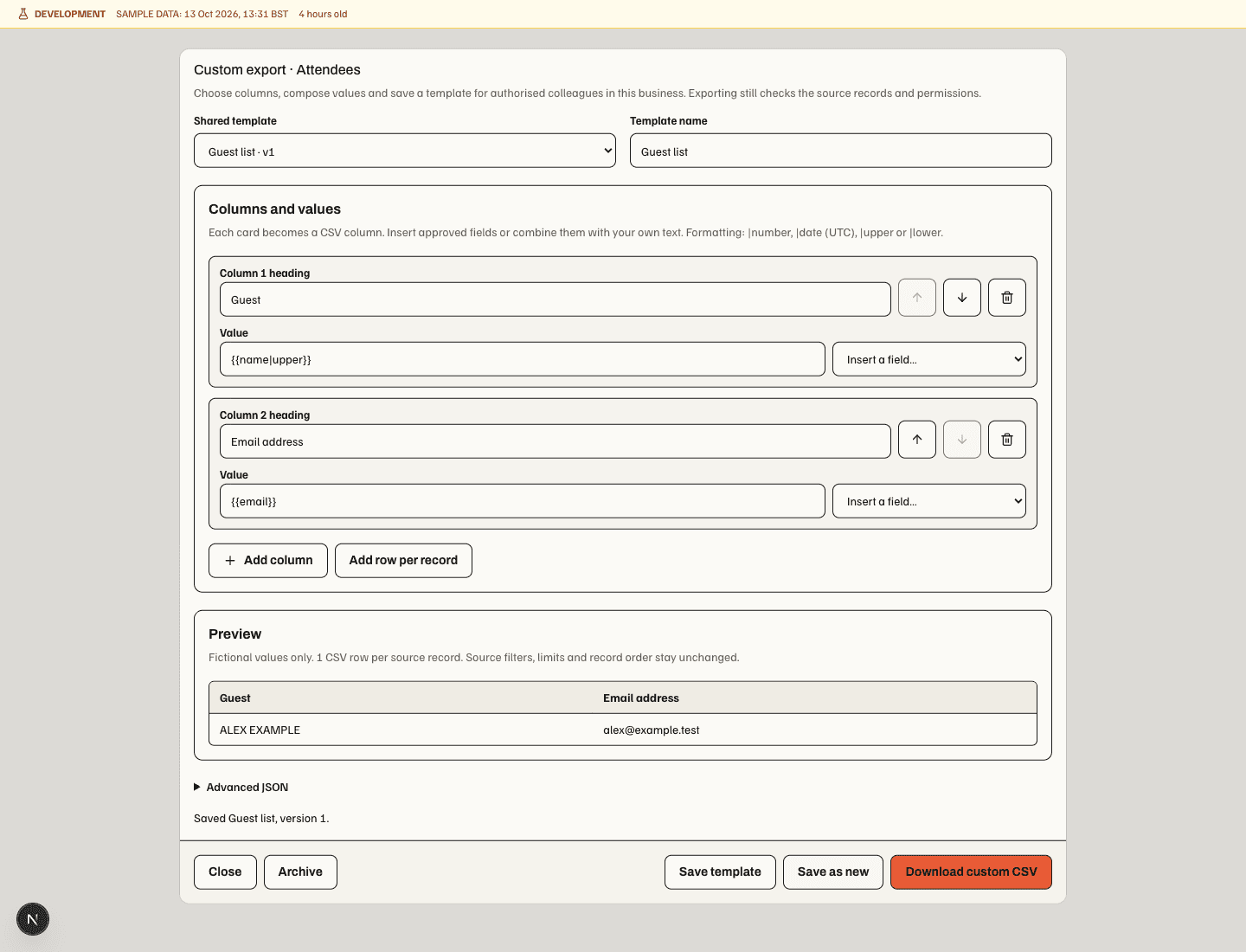
The editor supports up to 100 columns and five rows per source record. Saved definitions are limited to 32 KiB, with at most 100 active templates per business and source. The custom CSV also has a 50 MB output limit. These limits do not raise a source's existing row, date-range, completeness or pagination limits.
Advanced JSON edits the same layout. Choose Apply JSON to draft before saving or downloading; applying JSON does neither. Invalid syntax, unknown fields and unsupported expressions leave the previous valid draft intact and block saving/downloading until resolved. Templates support the listed flat tokens and formats, without scripting, arbitrary expressions or nested loops.
Shared changes and protected source records
Saving requires the version that was opened. If a colleague saved first, reload the latest version before editing again. An uncertain save can retry its same request without creating a second version. Archive asks for confirmation and removes the shared template from selection; retained versions and existing source exports remain unchanged. Switching templates or closing with unsaved work asks before discarding it.
Templates control layout only. Download rechecks the source's current authority, filters and completeness; revoked access or a changed business/source cannot reuse an earlier private result. An expired or incomplete source export must be resolved in its owning workflow. A custom timesheet or supplier CSV is a view of the approved original, not a new approval, payroll run, accounting handoff or settlement. Formula-like cell content is escaped for spreadsheet imports.
CRM offers Custom CSV beside Download prepared CSV once preparation has completed. Both use the same frozen rows, current access checks and download acknowledgement. A layout cannot add fields omitted from that prepared run; choose a compatible layout or prepare a new export with the required fields. An interrupted audit acknowledgement must be resolved before another download.