Permanent QR codes for hospitality
QR codes you can update after printing.
Manage the links behind your posters, table signs and stickers in one place. Send guests to a published Event, a Booking experience or a public website. Change where the code opens whenever the work changes.
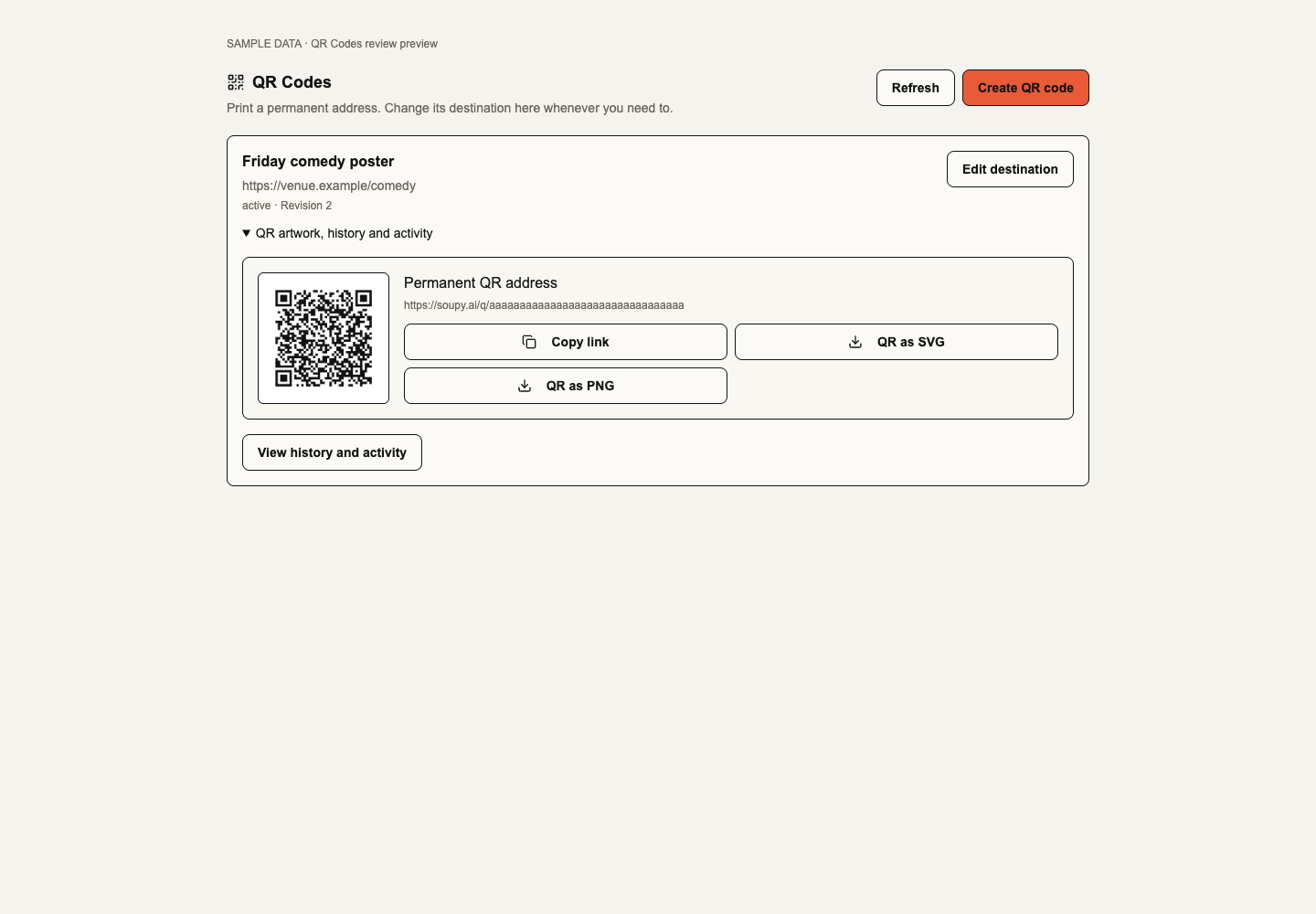
Available in preview
The web workspace is available for businesses with QR Codes enabled and the required permissions. It includes destination edits, SVG and PNG downloads, self-printed Smart Tags, scheduled websites and basic request activity.
See what’s nextExplore a fictional QR library with an Event poster, a Booking code and a batch of blank Smart Tags.
Current workspace layouts with sample data. Nothing is saved or sent.
QR Codes
Explore sample QR records, Smart Tag batches and request activity.
QR library
Explore the current QR Codes layout with fictional records. Search, switch views and try both themes. Nothing is saved, sent or charged.
On the other side of the shift
Less friction. More getting on with it.
- 01
Keep printed artwork in use when an Event or offer changes.
- 02
Print blank Smart Tags before deciding what they should open.
- 03
See when links receive requests without identifying the people who scanned.
What’s included
Made for the job.
The practical details behind the promise. Built around the people doing the work, and connected to the information they need.
- 01
One address for each print
Download an SVG or PNG with a clear border. Update the saved destination later and keep using the same printed code.
- 02
Manage codes where you work
Open QR Codes from an Event’s Embeds or a Booking experience’s Embed code panel. The central library shows the codes you can see and lets you edit those you have permission to manage.
- 03
Print now, assign later
Issue up to 100 Smart Tags in a batch. Print the numbered label sheets, then find a scanned tag in the library and assign or reassign it.
- 04
Set a time window
Schedule one alternate website with a start and end in UTC. Outside that window the regular destination opens. Pause or revoke a code when it should stop working.
- 05
See requests and changes
Review destination history and recorded requests. Repeated opens and link previews can count, so the numbers help you understand activity rather than identify visitors.
More of the working product
What you can do with QR Codes.
Explore the tools behind the overview, then open a workflow for the steps, settings and availability that apply. Product access, rollout and connected providers determine what your workspace can use.
Permanent QR addresses
- Create and export codes for websites, Events and Booking experiences.
- Change the destination while keeping the printed address.
- Use the central library or manage a code within its Event or Booking experience.
Preview. Central access requires an enabled Business and QR permissions. Event and Booking tools require current source permissions.
Smart Tag batches
- Print up to 100 distinct blank tags in a batch.
- Find a tag by its scanned address and assign it in the issuing Business.
- Reprint eligible tags or change their assignment while keeping the printed address.
Scheduled destinations
- Set one alternate public HTTPS website with a start and end time in UTC.
- Return to the regular destination when the window ends, if it is still available.
- Review saved revisions and restore an earlier destination and schedule.
Request activity and controls
- Review the last 30 UTC days of recorded requests.
- Pause a code temporarily or revoke it permanently.
- Use request counts to track activity, including repeat opens and link previews.
Explore every workflow in the guides.
Choose a guide to see all its topics. The detailed guides include setup requirements, preview features and supported limits.
QR Codes8 workflow topics
Permanent QR links, printable Smart Tags, scheduled destinations and request activity.
Read the complete guidePart of the bigger picture
The context comes with it.
The guest, the venue, the team. Useful information should follow the work. QR Codes connects to shared records, with access controlled for your organisation and your people.
A clear picture
Today. And what’s next.
The web workspace is available for businesses with QR Codes enabled and the required permissions. It includes destination edits, SVG and PNG downloads, self-printed Smart Tags, scheduled websites and basic request activity.
Commercial tag packs, more operational destinations, deeper attribution and NFC writing are planned separately.
Good questions
QR Codes FAQs.
Do I have to reprint a code to change the destination?
No. Save the new destination in Soupy and the same QR address opens it. Test the printed code at its intended size before distributing it.
Does a guest need a Soupy account to scan?
No account is needed to open a live public destination. Staff still need permission to assign a tag or edit the link.
Can I print stickers before I know where they will go?
Yes. Generate a batch of blank Smart Tags and print the numbered PDF label sheets. Assign a tag later through QR Codes in its owning business.
Can I see who scanned a code?
Soupy records link requests, including repeat opens and some previews. The count does not identify a person or prove a purchase.
Start with the pressure point